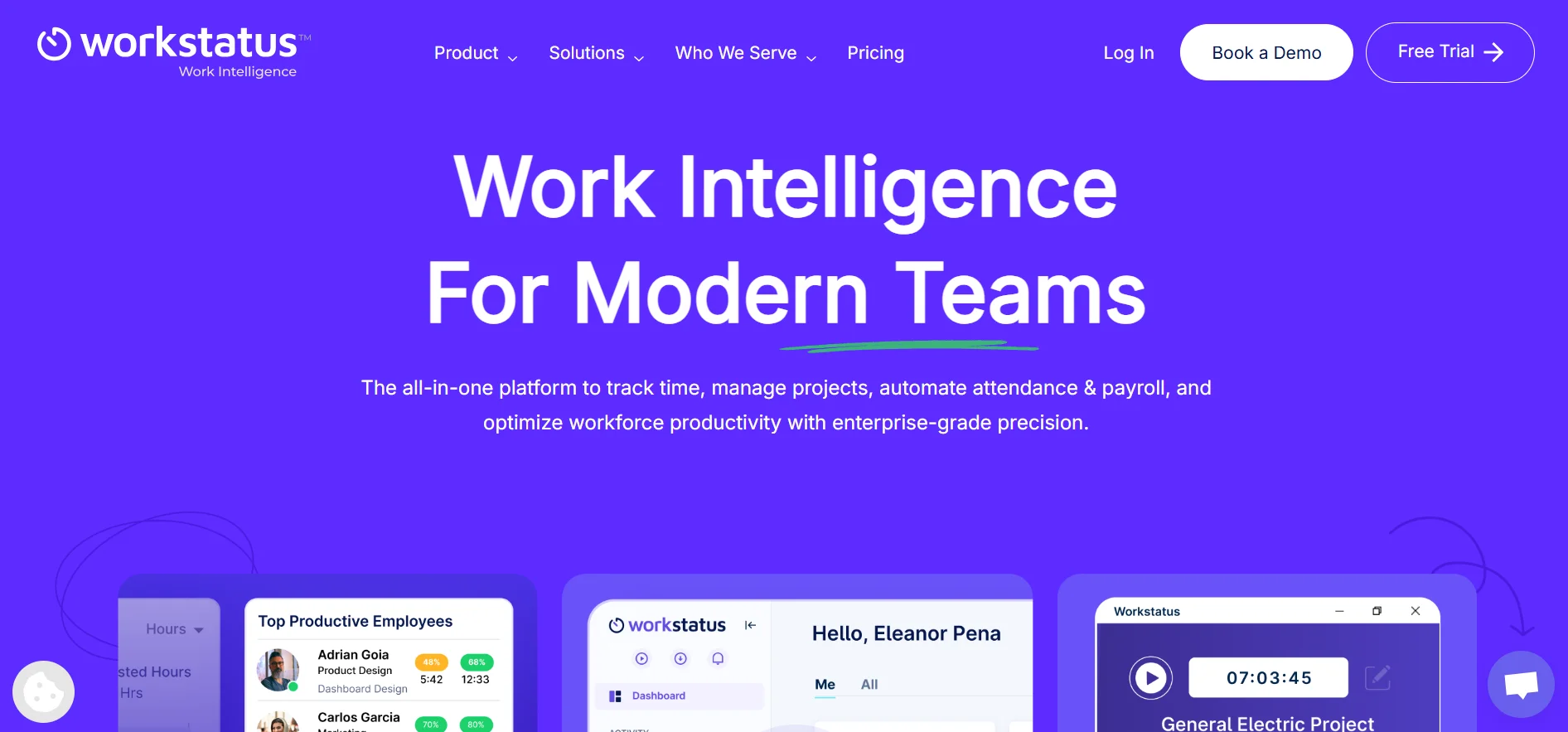
Workstatus is a workforce management software designed to help organizations monitor work, manage employees, and maintain clear visibility across projects. Unlike traditional tools, it focuses on flexibility, making it ideal for modern teams working remotely, on-site, or in hybrid teams.
In this review
Workstatus Time Tracking & Workforce Management for Modern Teams
Modern teams are no longer confined to one office, one time zone, or one rigid way of working. As remote, hybrid, and distributed work becomes the norm, businesses need smarter tools to stay organized, productive, and accountable. Workstatus time tracking and workforce management solutions address this challenge by combining visibility, automation, and insights into a single platform.
This article is worth reading because it goes beyond surface-level features. You’ll learn how workstatus supports modern teams, how time tracking improves productivity without micromanaging, and how businesses can streamline workflows, payroll, and collaboration using a data-driven management solution.
1. What is Workstatus and why is it important for modern teams?
Workstatus is a workforce management software designed to help organizations monitor work, manage employees, and maintain clear visibility across projects. Unlike traditional tools, it focuses on flexibility, making it ideal for modern teams working remotely, on-site, or in hybrid teams.
For businesses juggling client projects, distributed team members, and tight deadlines, workstatus delivers a centralized dashboard that supports employee management, task management, and project oversight. It brings time tracking and workforce management together in a seamless, easy-to-use platform that supports growth without chaos.
2. How does time tracking with Workstatus actually work?
At its core, time tracking in workstatus is designed to be simple and accurate. Employees can use a built-in timer to record work hours in real-time, ensuring transparency and reliable proof of work. This data feeds directly into timesheets, reducing errors and manual reporting.
Workstatus time tracking also supports real-time tracking, idle time detection, and optional screenshots, allowing managers to understand how time is spent without constantly checking in. The result is better time management and accurate tracking of billable hours for client projects.
3. Can Workstatus really improve productivity without micromanaging?
One of the biggest concerns around employee monitoring is micromanaging. Workstatus helps avoid this by focusing on outcomes rather than constant surveillance. Features like activity monitoring and productivity reports highlight patterns instead of policing behavior.
By using productivity insights and analytics, managers can identify workload imbalances and opportunities to optimize performance. This approach helps improve productivity while respecting privacy controls, data protection, and data privacy standards.
4. How does Workstatus fit into daily workflow and scheduling?
Daily operations become smoother when tools align with how teams already work. Workstatus integrates naturally into existing workflow by supporting employee scheduling, check-ins, and real-time updates on project progress.
Managers can set a schedule, track adherence, and streamline planning across departments. By automating repetitive tasks and work by automating routine updates, teams stay aligned and focused on meaningful tasks rather than administrative overhead.
5. What management software features make Workstatus an all-in-one solution?
As a management software platform, workstatus combines multiple tracking features into one all-in-one system. From project and task tracking to payroll-ready reports, it eliminates the need for multiple disconnected tools.
Its functionality includes gps tracking, location tracking, geofencing, and even geofenced attendance for on-site teams using mobile devices. This makes it a robust management solution for companies that need both flexibility and control.
6. How does Workstatus help teams collaborate seamlessly?
Effective communication and collaboration are essential for remote team management. Workstatus's built-in tools promote seamless collaboration by offering real-time updates, shared dashboards, and transparent task ownership.
Teams can collaborate without confusion, stay ahead of deadlines, and maintain clear visibility into who is working on what. This seamless integration between tracking and communication ensures teams stay productive without unnecessary meetings.
7. What actionable insights and analytics does Workstatus provide?
Data is only useful if it’s actionable. Workstatus delivers actionable analytics that help leaders make data-driven decisions. From productivity reports to workforce trends, managers gain clarity on employee productivity and monitoring productivity over time.
These insights support project management decisions, optimize resource allocation, and improve long-term planning. The dashboard presents analytics in a simple, visual way that supports faster decision-making.
8. Is Workstatus suitable for enterprise, mid-sized teams, and freelancers?
Workstatus is flexible enough to support enterprise organizations, mid-sized businesses, and even freelancers. Enterprises benefit from encryption protocols, data protection, and scalable integration options, while smaller teams appreciate its simplicity.
Freelancers and agencies can track work hours, billable hours, and payroll accurately, ensuring transparency with clients. Teams stay productive whether they work without a central office or across multiple locations.
9. Are there reliable alternatives for Workstatus?
While alternatives for workstatus exist, many lack the balance between monitoring productivity and respecting user experience. Some focus too heavily on employee monitoring, while others miss advanced analytics or payroll support.
Workstatus stands out by offering a balanced approach that simplifies operations, supports integration with existing tools, and provides a free trial for teams to explore its value before committing.
10. Frequently asked questions about Workstatus and free trial access
Many frequently asked questions revolve around setup, privacy, and cost. Getting started is simple—teams can sign up for a free trial and start using workstatus within minutes. No complex onboarding is required.
The platform supports gps, screenshots, privacy controls, and safeguards user data through strong encryption protocols. This makes it suitable for businesses that want transparency without compromising trust.
Key Takeaways: What to Remember
- Workstatus is built for modern teams that need flexibility and control
- Time tracking improves visibility without micromanaging
- Productivity insights help optimize workload and performance
- Workflow automation simplifies daily operations and scheduling
- Analytics enable leaders to make data-driven decisions
- Seamless integration supports collaboration and scalability
- A free trial allows teams to test the platform risk-free
By combining time tracking, analytics, and workforce management software into one platform, workstatus empowers teams to stay aligned, productive, and future-ready.
User Reviews
No reviews yet
Be the first to share your experience!
Workstatus.IO Alternatives
Similar tools in Business